
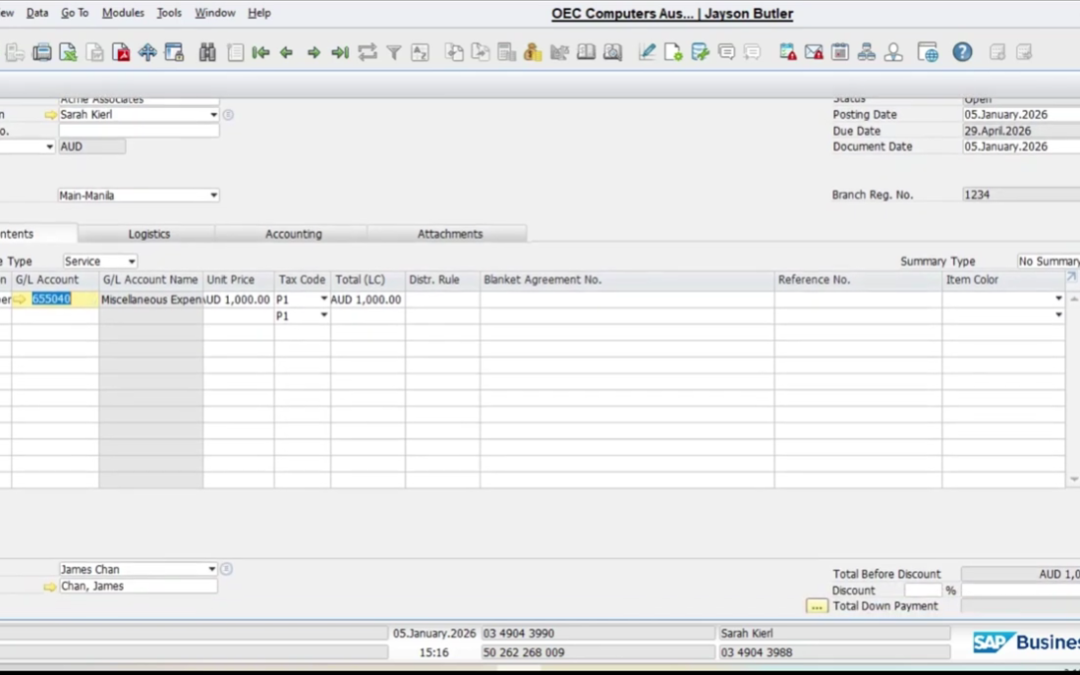
The DHL account needs DR assignment error in SAP Business One usually appears when a G/L account requires a dimension value, such as a department or cost center, but the required field was left blank during transaction entry.
This guide explains how to resolve the SAP B1 DR assignment error and successfully complete the transaction.
🎥 Watch the step-by-step tutorial below:
Why the DR Assignment Error Appears
This SAP Business One DR assignment error means the selected G/L account is configured to require a dimension assignment, but the dimension field was not completed.
The missing field is commonly:
- Department
- Cost center
- Distribution rule
- Dimension 1 field
To fix the issue, you must identify which dimension is required and assign the correct value before saving.
How to Fix DR Assignment Error in SAP B1
First, go to:
Financials → Cost Accounting → Dimensions
Check the field name assigned to Dimension 1 or the dimension number mentioned in the error message.
Next, open the transaction form where the error occurred and go to Form Settings.
Make sure the required dimension field is:
- visible
- active
- editable
Then assign the correct department or cost center, click Update, and reprocess the transaction.
This resolves the SAP Business One dimension assignment error.
Proper SAP B1 dimension setup helps prevent posting issues and ensures transactions are correctly allocated for reporting.
If you need assistance with SAP Business One cost accounting configuration, consult your SAP partner or support team.